
ZOHO INVENTORY
Course Content
Zoho Inventory – Advanced Stock Management Introduction
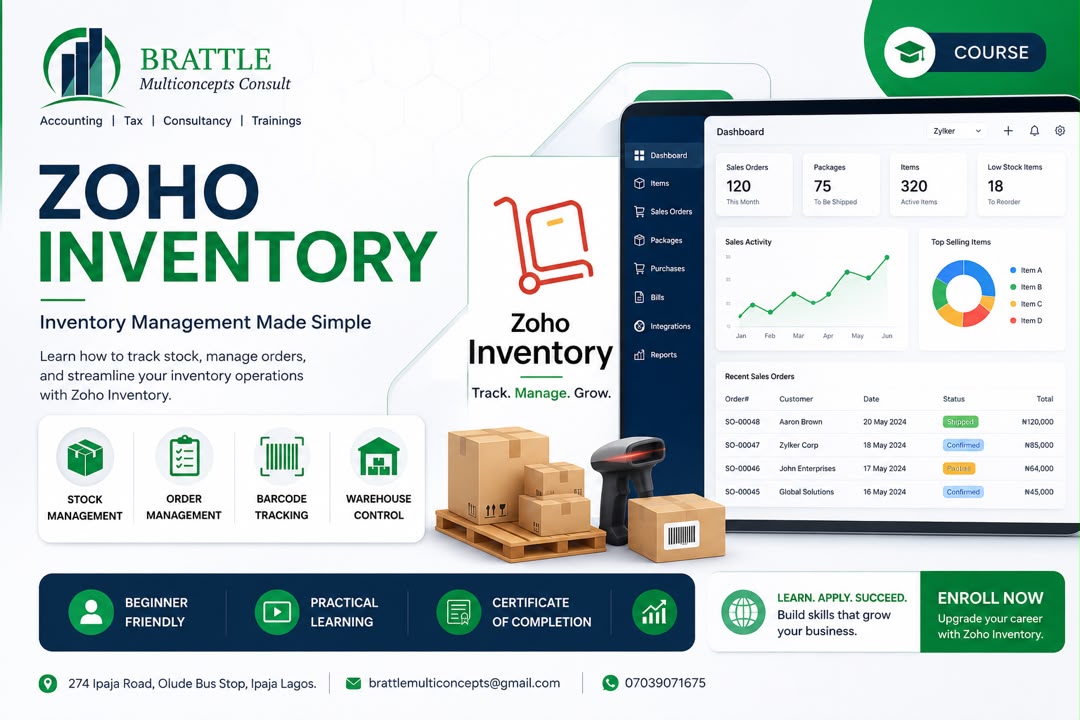
This introductory training session from BMC TUTORS transitions from Zoho Books to Zoho Inventory—explaining how the latter provides advanced features necessary for comprehensive stock management beyond basic buying and selling tracking.
Key Learning Objectives:
📦 Scope of Zoho Inventory:
Focuses on advanced inventory management.
Goes beyond basic invoice and expense tracking found in Zoho Books.
⚙️ Advanced Capabilities:
Manage stock across multiple warehouses.
Execute warehouse-to-warehouse transfers.
Track deliveries and generate packing lists and delivery notes.
Handle Bill of Materials (BOM) and production orders.
🔗 Integration:
Integrate Zoho Books and Zoho Inventory for a unified business operations system.
Training Context:
Uses a case study company, Niger Craftwork Limited (a fabrication business with multiple locations).
Participants continue using the MCL Zoho training data set.
📞 Contact Us:
For inquiries, training bookings, or support:
Phone: 07039071675
Email: brattlemulticoncepts@gmail.com
-
ZOHO INVENTORY
04:08
Zoho Inventory Setup | Connect with Zoho Books (Step-by-Step)
Ready to take your inventory management to the next level? 📦 This video from BMC TUTORS demonstrates how to sign into and connect Zoho Inventory with your existing Zoho Books account – streamlining your setup by leveraging data already stored in the system.
In this tutorial, you will learn:
✅ How to access Zoho Inventory through the Zoho Books ecosystem
✅ How to "Join" an existing organization instead of creating a new profile from scratch
✅ How automatic syncing of organization details saves you time and effort
✅ How to verify the integration and synchronization between both platforms via settings
✅ How any activity in Zoho Inventory automatically updates Zoho Books
✅ The key efficiency gain – avoiding redundant data entry and jumping straight to advanced settings
🔔 Don't forget to SUBSCRIBE to BMC TUTORS and hit the bell icon for more Zoho training sessions!
-
ZOHO INVENTORY
04:22
Zoho Inventory – Complete Configuration Walkthrough
This technical walkthrough from BMC TUTORS covers configuring inventory settings in Zoho Inventory—essential setup steps to ensure accurate stock management and efficient order processing.
Key Learning Objectives:
⚙️ Configure Features:
Enable price lists, stock counts, return invoices, and pick lists for organized order fulfillment.
📊 General Inventory Settings:
Configure profit margin calculation, discount settings, and stock tracking modes.
🔧 Advanced Item Management:
Allow duplicate names (with mandatory SKU usage).
Enable composite items (BOM).
Configure serial number or batch tracking for advanced inventory control.
Set up packaging and return settings.
📦 Stock Controls & Replenishment:
Prevent negative inventory with stock-out controls.
Set out-of-stock warnings.
Enable automated replenishment orders based on defined intervals.
🏷️ Customization:
Add custom fields for item tracking (e.g., color).
Categorize items and use aliases for product identification.
📞 Contact Us:
For inquiries, training bookings, or support:
Phone: 07039071675
Email: brattlemulticoncepts@gmail.com
-
ZOHO INVENTORY
06:47
Zoho Inventory – Essential Settings: Units, Assemblies & Transfers
This walkthrough from BMC TUTORS covers the Inventory settings in Zoho Inventory—focusing on how to configure various parameters for streamlined operations and efficient stock management.
Key Learning Objectives:
📏 Unit of Measurement:
Manage default units and enable conversion settings (e.g., converting pieces to dozens or packs).
🔧 Assemblies:
Customize production fields, such as adding an 'alternative supplier' field to assembly items.
📊 Inventory Adjustments:
Configure settings for stock count adjustments and define where that data resides.
📦 Packages & Shipments:
Manage information fields in packages and set up customer notifications for shipments, including dispatch addresses.
🔄 Transfer Orders:
Manage stock transfers between company branches.
Set up transfer settings, such as price tracking.
Restrict users to specific warehouse locations for better security and control.
Key Takeaway:
These foundational settings are essential for managing items effectively after the initial setup.
📞 Contact Us:
For inquiries, training bookings, or support:
Phone: 07039071675
Email: brattlemulticoncepts@gmail.com
-
ZOHO INVENTORY
03:12
Zoho Inventory – Item Categories & Creating New Items
This tutorial from BMC TUTORS demonstrates the process of managing Item Categories and creating new items within Zoho Inventory—highlighting how these actions sync automatically with Zoho Books for seamless integration.
Key Learning Objectives:
📂 Setting up Item Categories:
Create parent and sub-categories (e.g., Furniture as parent, with Office Furniture and Home Furniture as children).
Better organize your inventory for improved reporting and management.
📦 Creating Items:
Add new items with defined categories, SKU numbers, selling prices, and units of measurement.
Example: Office Computer Desk walkthrough.
🔍 Advanced Inventory Tracking:
Set up bin tracking for specific sections within a warehouse.
Enable serial number tracking for individual items.
🔄 Integration Sync:
Items created in Zoho Inventory are immediately available in Zoho Books.
Ensures seamless data consistency across both platforms.
Coming Up Next:
Strategic discussion on why companies maintain both Zoho Books and Zoho Inventory separately—and considerations for migrating from Zoho Premium to Zoho Books Elite or Ultimate.
📞 Contact Us:
For inquiries, training bookings, or support:
Phone: 07039071675
Email: brattlemulticoncepts@gmail.com
-
ZOHO INVENTORY
07:31
Zoho Inventory – Upgrading to Elite Plan for Inventory Integration
This tutorial from BMC TUTORS explains how to upgrade your subscription plan in Zoho Books to the Elite version—enabling seamless inventory integration and centralized account management.
Key Learning Objectives:
⚙️ Navigate to Subscription Settings:
Go to your account settings and locate the option to Change Trial Plan.
📋 Select the Elite Plan:
Choose the Elite plan from available options and click Save.
🔗 Verify Integration:
Once upgraded, inventory data (items and stock lists) is fully integrated and trackable directly within Zoho Books.
Key Benefit:
Upgrading from Zoho Books Premium to Elite eliminates the need to manage separate accounts for inventory and bookkeeping—allowing you to track all items in one centralized location.
📞 Contact Us:
For inquiries, training bookings, or support:
Phone: 07039071675
Email: brattlemulticoncepts@gmail.com
-
ZOHO INVENTORY
01:42
Zoho Inventory – Warehouses, Locations & Stock Transfers
This tutorial from BMC TUTORS explains the distinction between Warehouses and Locations in Zoho Inventory and demonstrates how to perform Stock Transfers between them—ensuring accurate stock tracking across business sites.
Key Learning Objectives:
🏢 Locations:
Represent business sites where you conduct actual sales, generate invoices, and interact with customers.
📦 Warehouses:
Serve specifically as storage facilities for keeping goods.
Cannot sell or invoice directly from a warehouse—must assign it to a specific location for stock tracking.
🔄 Performing a Stock Transfer:
Create a Transfer Order: Navigate to the Inventory module and select Transfer Order.
Define Details: Select the source location, destination location, specific items, and quantities.
Initiate Transfer: Goods are marked as "In Transit" .
Complete Transfer: Receiver marks the order as "Transferred" to finalize the stock update.
Outcome:
Inventory levels in both source and destination locations are automatically updated to reflect the change.
📞 Contact Us:
For inquiries, training bookings, or support:
Phone: 07039071675
Email: brattlemulticoncepts@gmail.com
-
ZOHO INVENTORY
06:25
Zoho Books – Item Groups & Variants: Attributes, SKUs & Pricing
This tutorial from BMC TUTORS covers managing Item Groups and Variants within Zoho Books and Zoho Inventory—helping users categorize products by specific attributes such as color, size, and material for efficient inventory management.
Key Learning Objectives:
📦 Understanding Item Types:
Inventory items: Track stock, warehouses, and reorder points.
Services: Do not track stock.
🔧 Creating Variants:
Use the Variant feature to define product attributes.
The standard "Item Group" view may require enabling this feature.
🏷️ Defining Attributes:
Select the "contains variants" option when creating a new item.
Define custom attributes like Color (e.g., White, Golden, Black) and Size (e.g., 4ft, 2ft).
System automatically generates all attribute combinations.
💰 Individual Pricing and SKUs:
Assign unique SKUs for every specific attribute combination.
Set different selling prices for each variant (e.g., white 4ft vs. white 2ft).
All variants remain under one parent item for organized management.
✅ Finalization:
Select the account type (e.g., Finished Goods).
Save the configuration for efficient management of diverse product versions.
📞 Contact Us:
For inquiries, training bookings, or support:
Phone: 07039071675
Email: brattlemulticoncepts@gmail.com
-
ZOHO INVENTORY
10:30
Zoho Inventory Import | Bulk Upload Items Using AI Formatting
Importing inventory data doesn't have to be a headache! 📥 This video from BMC TUTORS demonstrates the complete process of importing inventory data into Zoho Inventory and Zoho Books – including a smart time-saving trick using AI for formatting.
In this tutorial, you will learn:
✅ How to export an existing item list as a template (better than downloading a blank one!)
✅ How to use AI tools (Cloudy) to format raw inventory data to match Zoho's template requirements
✅ How to save time by automating the formatting process
✅ How to troubleshoot common import errors (e.g., "invalid task group", SKU conflicts)
✅ How to successfully complete the import process
✅ A preview of what's next: Composite Items
🔔 Don't forget to SUBSCRIBE to BMC TUTORS and hit the bell icon for more Zoho training sessions!
📩 Have questions? Reach out to us:
📧 Email: BRATTLEMULTICONCEPTS@GMAIL.COM
📱 WhatsApp: 07039071675
-
ZOHO INVENTORY
06:30
Zoho Inventory – Composite Items & Kits: Assembly Guide
This practical tutorial from BMC TUTORS covers managing composite items within Zoho Inventory, bundled products created by assembling multiple individual items into a single finished good.
Key Learning Objectives:
📦 Bundles and Kits:
Kits: Individual items that can be sold separately or together.
Composite Items: Pre-bundled products that require assembly.
🔧 Creating a Composite Item:
Step-by-step assembly process using the example of an executive chair.
Add necessary materials: leather, foam, pipes, screws, and varnish with respective quantities.
👷 Service Integration:
Incorporate additional costs, such as direct labor, into the composite item.
Treat services as non-inventory items within the assembly.
💰 Pricing and Tracking:
Set cost price (manually or by aggregating total material and service costs).
Set selling price.
Select inventory tracking methods like First-In, First-Out (FIFO).
Coming Up Next:
The actual building process for the composite item.
📞 Contact Us:
For inquiries, training bookings, or support:
Phone: 07039071675
Email: brattlemulticoncepts@gmail.com
-
ZOHO INVENTORY
11:17
Zoho Inventory – Production Process for Assemblies
This tutorial from BMC TUTORS demonstrates the production process within Zoho Inventory for items previously configured as assemblies—covering execution, stock checks, serial numbers, and troubleshooting.
Key Learning Objectives:
📦 Understanding Assemblies:
Items imported and configured as assembly items in the system.
Export sample data to format and bulk-upload items efficiently.
⚙️ Starting the Production Process:
Navigate to the Inventory module and select Assemblies.
Click Create Assembly to begin.
🔧 Executing an Assembly:
Select the item to be produced and define the quantity.
System performs a stock check—flags missing raw materials if out of stock.
Continuing production despite missing components may lead to negative inventory balances.
Set unique serial numbers for each unit and assign a storage location.
⚠️ Troubleshooting:
Valid serial numbers are mandatory to complete the assembly.
Next session: Import more items to resolve stock shortages before continuing production.
📞 Contact Us:
For inquiries, training bookings, or support:
Phone: 07039071675
Email: brattlemulticoncepts@gmail.com
-
ZOHO INVENTORY
03:26
Zoho Inventory – Importing Purchase Bills & Troubleshooting
This tutorial from BMC TUTORS covers importing purchase bills into Zoho Inventory to manage stock for production—including workflow, common errors, and troubleshooting tips.
Key Learning Objectives:
📊 Inventory vs. Accounting:
Zoho Inventory allows buying and selling but lacks built-in accounting, banking, and comprehensive reporting features.
📤 Bill Export/Import Process:
Export an existing bill to use as a template.
Import purchase data back into the system.
⚠️ Troubleshooting Import Errors:
Date Locking: Disable date restrictions preventing imports.
Total Value Mismatch: Ensure imported totals match system-calculated values.
Draft Status: Imported bills remain in "draft" form—items won't appear for production until marked as "open" .
✅ Production Readiness:
Check if inventory has been successfully updated for assemblies.
Note: Updates in Zoho Inventory may take a few minutes to process.
📞 Contact Us:
For inquiries, training bookings, or support:
Phone: 07039071675
Email: brattlemulticoncepts@gmail.com
-
ZOHO INVENTORY
08:52
Zoho Inventory – Assembly Items vs. Kit Items: Key Differences
This practical tutorial from BMC TUTORS distinguishes between assembly items and kit items within an inventory management system—explaining their operational differences and appropriate use cases.
Key Learning Objectives:
🔧 Assembly Items:
Products that must be "built" or manufactured from individual raw materials.
Require a production step in the system.
Often require specific assembly time and labor costs.
📦 Kit Items:
Collections of existing individual items sold together as a single package.
Do not require a manufacturing process.
Grouped for sales convenience (e.g., a "dining set" composed of multiple pre-existing furniture pieces).
⚙️ Operational Differences:
Assemblies: Require a production step in the system.
Kits: Sold directly from the available stock of their individual components.
Coming Up Next:
Demonstration of how these different inventory configurations appear when creating customer orders.
📞 Contact Us:
For inquiries, training bookings, or support:
Phone: 07039071675
Email: brattlemulticoncepts@gmail.com
-
ZOHO INVENTORY
05:08
Zoho Inventory – Kit Items, Invoicing & Integration with Zoho Books
This tutorial from BMC TUTORS focuses on managing kit items in Zoho Inventory and the seamless integration between Zoho Inventory and Zoho Books—covering invoicing, stock constraints, and troubleshooting.
Key Learning Objectives:
🔗 Sales Integration:
Invoices created in Zoho Inventory are automatically reflected in Zoho Books.
Demonstrates the seamless link between the two platforms.
📦 Creating Invoices for Kits:
Composite item example: a "dining set" composed of multiple individual stock items.
Kit items are grouped for sales convenience without requiring assembly.
⚠️ Inventory Sync and Constraints:
System may prevent marking an invoice as sent due to insufficient stock levels.
Settings that "prevent stock from going below zero" can act as a bottleneck during invoicing.
🔄 Troubleshooting:
Performance delays may occur when both applications are open simultaneously.
Allow time for inventory data to sync between platforms.
Coming Up Next:
Price lists and discount configurations in subsequent segments.
📞 Contact Us:
For inquiries, training bookings, or support:
Phone: 07039071675
Email: brattlemulticoncepts@gmail.com
-
ZOHO INVENTORY
05:59
Zoho Inventory – Price Lists & Inventory Adjustments
This tutorial from BMC TUTORS demonstrates how to manage price lists and inventory adjustments within Zoho Inventory and Zoho Books—covering custom pricing, customer assignment, and stock write-offs.
Key Learning Objectives:
💰 Creating and Applying Price Lists:
Create custom price lists (e.g., 2% markdown for bulk orders).
Assign price lists directly to a customer's profile in the Customers section.
System automatically overrides standard item prices with discounted rates when creating an invoice.
📦 Inventory Adjustments:
Perform manual inventory adjustments for scenarios like write-offs due to damaged or expired goods.
Adjust either the quantity or the value of items in the system.
Designate a specific account for these adjustments.
⚙️ Practical Tips:
If an approval process is not in place, convert adjustments immediately after saving as a draft.
📞 Contact Us:
For inquiries, training bookings, or support:
Phone: 07039071675
Email: brattlemulticoncepts@gmail.com
-
ZOHO INVENTORY
11:18
Zoho Inventory – Stock Count Workflow & Approval Process
This tutorial from BMC TUTORS demonstrates the workflow for conducting and approving a stock count in Zoho Inventory—a step-by-step guide for managing inventory discrepancies beyond simple stock adjustments.
Key Learning Objectives:
📋 Creating a Stock Count:
Create a new stock count record.
Select a specific Location and assign the task to a staff member.
➕ Adding Items:
Select items to be counted from the item list.
Save the record to initiate the counting process.
🔢 Performing the Count:
Perform a physical count of stock at the designated location.
Enter the findings into the system.
📤 Submission and Approval:
Submit the physical count data for approval.
Manager reviews counts and checks status (e.g., 'unmatched').
Approve and save the changes to finalize.
✅ Verification:
System processes the adjustment.
Refresh to confirm updated stock levels.
Adjustment reflects the variance between initial system quantity and new physical count.
📞 Contact Us:
For inquiries, training bookings, or support:
Phone: 07039071675
Email: brattlemulticoncepts@gmail.com
-
ZOHO INVENTORY
03:31
Zoho Inventory – Cost Price vs. Selling Price & Valuation Methods
This tutorial from BMC TUTORS explains how to manage cost price and selling price within Zoho Inventory—covering dual pricing, sales automation, inventory valuation, and costing methods.
Key Learning Objectives:
💰 Dual Pricing:
Define both a cost price (for purchasing) and a selling price (for sales) when creating an item.
🔄 Sales Automation:
System automatically pulls the configured selling price during sales.
Pricing remains editable if updates are needed.
📊 Inventory Valuation:
System calculates closing inventory value using the cost price at period end.
📐 Costing Methods:
Supports FIFO (First-In, First-Out) and Weighted Average methods.
Determines cost of goods based on the method selected during item creation.
📞 Contact Us:
For inquiries, training bookings, or support:
Phone: 07039071675
Email: brattlemulticoncepts@gmail.com
-
ZOHO INVENTORY
02:43
Zoho Inventory – When & Why to Transition from Zoho Books(Feature Limits)
This introductory training session from BMC TUTORS covers foundational concepts in Zoho Inventory and explains why users may need to transition from Zoho Books to Zoho Inventory for advanced stock management.
Key Learning Objectives:
⚙️ Feature Limits:
Functionality is restricted by the Zoho subscription version (e.g., Free vs. Professional/Premium).
Upgrading is often necessary to access advanced inventory tools.
📦 When to Use Zoho Inventory:
Buy items and sell them in different states.
Manage and transfer stock across multiple branches or warehouses.
Require advanced inventory reporting.
📋 Progress Recap:
Warehouse setup (e.g., Lagos warehouse).
Importing opening stock, item grouping, and creating bills of materials.
Coming Up Next:
Recording build-of-material production (delayed by inventory synchronization issues).
📞 Contact Us:
For inquiries, training bookings, or support:
Phone: 07039071675
Email: brattlemulticoncepts@gmail.com
-
ZOHO INVENTORY
03:26
Zoho Inventory – Building Composite Items: Conference Table Assembly
This practical walkthrough from BMC TUTORS demonstrates how to build and assemble composite items—specifically a conference room table—using Zoho Inventory, covering material definition, cost configuration, and final assembly.
Key Learning Objectives:
📦 Defining Composite Items:
Create a new composite item with required materials:
MDF sheets, Organ Timber planks, Square Pipes, and Plywood.
Each component is added with specific quantities.
💰 Configuring Costs and Pricing:
Set or copy the cost price for the finished goods.
Define the selling price for customer invoicing.
⚠️ Addressing Assembly Errors:
Common issue: Assembly fails due to not selecting a location.
Properly select the warehouse or office location to proceed.
🔧 Final Assembly:
Define the quantity to produce.
Add labor or service costs to the assembly.
Finalize the assembly—system automatically:
Reduces raw material stock.
Increases stock of the finished product.
📞 Contact Us:
For inquiries, training bookings, or support:
Phone: 07039071675
Email: brattlemulticoncepts@gmail.com
-
ZOHO INVENTORY
08:03
Zoho Inventory – Sales Orders: Quotes to Confirmation
This tutorial from BMC TUTORS demonstrates the workflow for setting up and managing Sales Orders in Zoho Inventory and Zoho Books—highlighting how these platforms synchronize to track inventory from initial customer request to final sale.
Key Learning Objectives:
🔗 Integration:
Initiate sales processes in either Zoho Books or Zoho Inventory.
Data is automatically synced between both platforms.
📄 Creating Quotes:
Begin with a Quote—clone an existing quote for a client.
Add specific items such as an Executive Chair or Conference Table.
📋 Retainer Invoices:
Use Retainer Invoices if a client needs a pro-forma invoice to make payments before the final sale.
🔄 Converting to Sales Orders:
Convert accepted quotes directly into a Sales Order.
Save the order as a draft and mark as 'confirmed' once approved by the client.
📞 Contact Us:
For inquiries, training bookings, or support:
Phone: 07039071675
Email: brattlemulticoncepts@gmail.com
-
ZOHO INVENTORY
05:30
Zoho Inventory – Sales Orders & Packaging Workflow(Convert To PO)
This practical guide from BMC TUTORS covers managing Sales Orders and Packaging in Zoho Inventory—from order actions to package creation and shipment preparation.
Key Learning Objectives:
📋 Managing Sales Orders:
Convert sales orders into a Purchase Order when stock is low.
Mark shipments as fulfilled, void, or clone orders as needed.
📦 Creating Packages:
Once a client approves an order, create a package for delivery.
Select specific items to be shipped and adjust quantities if necessary.
Choose specific serial numbers for items to ensure accurate inventory tracking.
🚚 Next Steps:
After completing packaging, proceed to shipping and delivery of goods.
📞 Contact Us:
For inquiries, training bookings, or support:
Phone: 07039071675
Email: brattlemulticoncepts@gmail.com
-
ZOHO INVENTORY
02:18
Zoho Inventory – Shipment Process & Delivery Management
This practical guide from BMC TUTORS covers how to manage the shipment process within Zoho Inventory—from creating shipments to marking orders as delivered and updating statuses.
Key Learning Objectives:
📦 Creating a Shipment:
"Create Shipment" option becomes available once an order is packed.
Manually input shipment details:
Carrier
Tracking number
Delivery URL
✅ Marking as Delivered:
Update status to "Delivered" from the shipment page or main order dashboard.
System prompts for delivery time.
Option to send a notification to the customer.
📋 Order Status Update:
System updates order status to confirmed and shipped.
Indicates the order is ready for invoicing.
📞 Contact Us:
For inquiries, training bookings, or support:
Phone: 07039071675
Email: brattlemulticoncepts@gmail.com
-
ZOHO INVENTORY
02:27
Zoho Inventory Sales Order Workflow | Order to Payment Complete Guide
Master the complete sales order lifecycle in Zoho Inventory! 📦💰 This video from BMC TUTORS walks you through the entire workflow – from order creation all the way to payment collection – showing you how to track, invoice, and fulfill orders efficiently.
In this tutorial, you will learn:
✅ How tracking works – packing items and shipping to monitor order progress at every stage
✅ How to convert a Sales Order into an Invoice seamlessly
✅ How the system automatically updates statuses for orders, invoices, and packed items
✅ How to improve operational efficiency – tracking what's left to deliver (perfect for sales + warehouse teams)
✅ How to create an invoice, save as draft, and mark it as sent
✅ How to record payment receipt into a bank account
✅ The complete order-to-payment lifecycle in action
🔔 Don't forget to SUBSCRIBE to BMC TUTORS and hit the bell icon for more Zoho training sessions!
📩 Have questions? Reach out to us:
📧 Email: BRATTLEMULTICONCEPTS@GMAIL.COM
📱 WhatsApp: 07039071675
-
ZOHO INVENTORY
02:27
Zoho Inventory – Sales Returns Process
This practical walkthrough from BMC TUTORS covers how to handle sales returns within Zoho Inventory—demonstrating the process for when a customer returns an item previously sold.
Key Learning Objectives:
🔄 Initiating a Return:
Start a return directly from the specific Sales Order or Sales Invoice.
📋 Creating the Sales Return:
Select the specific item being returned.
Specify the location (e.g., Head Office) where the return is processed.
✅ Accepting the Return:
Use the Save and Accept function to record the return.
📦 Finalizing Inventory Update:
Accepting the return does not immediately update stock levels.
Complete the final Receive Item step to reflect the item back in inventory.
📞 Contact Us:
For inquiries, training bookings, or support:
Phone: 07039071675
Email: brattlemulticoncepts@gmail.com
-
ZOHO INVENTORY
02:15
Zoho Inventory – Sales Returns, Stock Receiving & Credit Notes
This step-by-step guide from BMC TUTORS covers the complete sales returns workflow in Zoho Inventory—from receiving returned items and updating stock levels to processing credit notes and finalizing refunds.
Key Learning Objectives:
📦 Receiving Returned Items:
Once a return is accepted, the stock keeper must receive the item back into the store.
Updates inventory records to reflect the return.
✅ Verifying Inventory:
System updates inventory count after receiving items.
Check physical stock levels to ensure they reflect returned quantities correctly.
📄 Creating a Credit Note:
Generate a credit note to process a refund for the customer.
Select the specific sales return and convert it into a credit note.
💰 Finalizing the Refund:
Decide how to handle funds:
Apply the credit to another invoice.
Issue a direct refund from a specific bank account.
Full Order Lifecycle:
From initial sales order → delivery → invoicing → returns → credit adjustments → final refunds.
📞 Contact Us:
For inquiries, training bookings, or support:
Phone: 07039071675
Email: brattlemulticoncepts@gmail.com
-
ZOHO INVENTORY
04:22
Zoho Inventory – Purchase Orders Setup & Configuration
This tutorial from BMC TUTORS serves as a guide for managing Purchase Orders within Zoho Inventory and Zoho Books—covering workflow similarities, system configuration, and module enablement.
Key Learning Objectives:
📋 Recap of Sales Workflows:
Quick review of previously covered topics:
Creating quotes, sales orders, delivery notes, and invoices.
Handling item returns via credit notes.
Processing client refunds.
📦 Introduction to Purchase Orders:
Workflow is similar to that of a sales order.
Streamlined process for ordering stock from suppliers.
⚙️ System Configuration:
Ensure the Purchase Order module is visible in your account.
Navigate to Settings → General.
Enable modules like Purchase Orders and Debit Notes to appear in the navigation list.
Coming Up Next:
Practical application of Purchase Orders within Zoho Books.
📞 Contact Us:
For inquiries, training bookings, or support:
Phone: 07039071675
Email: brattlemulticoncepts@gmail.com
-
ZOHO INVENTORY
01:43
Zoho Inventory – Managing Purchase Orders(Add Delivery Details)
This tutorial from BMC TUTORS covers the essential steps for managing Purchase Orders in Zoho Inventory—from creation and vendor selection to shipment tracking and inventory checks.
Key Learning Objectives:
📋 Creating a Purchase Order:
Navigate to the purchase module and select 'Purchase Order' to initiate a new request.
🏢 Vendor Selection & Delivery Settings:
Select the vendor (e.g., BBP Safety Equipment).
Specify the delivery destination, such as a warehouse.
🚚 Shipment Tracking:
Input details regarding the shipment method (e.g., hired truck).
Record the vehicle number for tracking purposes.
📦 Adding Item Details:
Specify products (e.g., Fabric Upholstery and Wooden D).
Define quantities being ordered.
📊 Inventory Check:
Review existing stock levels at the head office and warehouse before finalizing.
✅ Finalization:
Save the order and mark it as 'issued' to the supplier.
📞 Contact Us:
For inquiries, training bookings, or support:
Phone: 07039071675
Email: brattlemulticoncepts@gmail.com
-
ZOHO INVENTORY
03:15
Zoho Inventory – Purchase Order Creation & Procurement(Track Receipts)
This tutorial from BMC TUTORS covers the essential steps for creating a Purchase Order (PO) within Zoho Inventory—from vendor selection and shipping details to item addition and finalization.
Key Learning Objectives:
📋 Creating a Purchase Order:
Navigate to the Purchase module to initiate a new purchase order.
🏢 Vendor Selection & Details:
Select the supplier (e.g., BBP Safety Equipment).
Specify delivery locations such as warehouse or head office.
🚚 Shipping Information:
Define the shipment method.
Include tracking details for supplier or hired vehicle numbers.
📦 Adding Items:
Input details for items being purchased (e.g., fabric upholstery and wooden materials).
📊 Stock Verification:
Check current stock levels at head office and warehouse before confirming the order.
✅ Finalization:
Save the purchase order.
Mark it as issued once sent to the supplier.
Coming Up Next:
Receiving the goods into inventory.
📞 Contact Us:
For inquiries, training bookings, or support:
Phone: 07039071675
Email: brattlemulticoncepts@gmail.com
-
ZOHO INVENTORY
03:15
Zoho Inventory – Supplier Returns & Vendor Credit Flow
This tutorial from BMC TUTORS demonstrates the practical process of handling returns from suppliers within Zoho Inventory—covering vendor credits, inventory adjustments, and financial settlement.
Key Learning Objectives:
📄 Accessing Vendor Credits:
Navigate to the Purchase section and select Vendor Credit to initiate a return.
📋 Creating a New Credit:
Select the relevant supplier.
Choose the items being returned (e.g., wooden chairs).
Specify the quantity for return.
📦 Inventory Adjustment:
Once the credit is saved as "opened" and processed, the system automatically updates inventory count.
Stock levels are reduced accordingly.
💰 Financial Settlement:
Apply the credit to existing bills.
Claim as a refund—deposited back into the designated cash account.
Outcome:
Both inventory levels and financial accounts are accurately adjusted to reflect the return.
📞 Contact Us:
For inquiries, training bookings, or support:
Phone: 07039071675
Email: brattlemulticoncepts@gmail.com
-
ZOHO INVENTORY
04:50
Zoho Inventory – Transfer Orders & Stock Adjustments(Mark Transfer Complete)
This tutorial from BMC TUTORS covers managing inventory transfers and stock adjustments using Zoho Inventory—including transfer orders, troubleshooting negative quantities, and manual correction methods.
Key Learning Objectives:
🔄 Transferring Goods:
Transfer items between locations (e.g., from Warehouse to Abuja).
Create a Transfer Order to initiate the process.
Mark as received by the destination location once goods arrive.
⚠️ Troubleshooting and Adjustments:
Address common issues such as stock errors resulting in negative quantities during returns.
📊 Stock Correction Methods:
Stock Adjustment: Manually adjust stock levels to rectify discrepancies.
Cloning Adjustments: Clone an adjustment record to correct stock counts in specific locations (e.g., Lagos Warehouse).
💡 Best Practices:
Use internal transfers to balance inventory across locations.
When one site shows negative quantity and another shows positive, transfers can resolve the imbalance.
📞 Contact Us:
For inquiries, training bookings, or support:
Phone: 07039071675
Email: brattlemulticoncepts@gmail.com
-
ZOHO INVENTORY
06:18
Zoho Inventory – Performing Inventory Adjustments
This practical guide from BMC TUTORS covers how to perform inventory adjustments in Zoho Inventory—including navigation, item selection, account assignment, and quantity updates.
Key Learning Objectives:
📋 Navigate to Inventory Adjustment:
Go to the inventory adjustment section and click "new" to begin.
📦 Select Item and Reason:
Choose the item you wish to adjust.
Select the appropriate account (e.g., Inventory Write-off or Cost of Goods Sold).
Specify the reason for the adjustment.
📍 Specify Location and Quantity:
Select the location (e.g., Head Office).
Input the quantity decrease (e.g., -5) to update stock levels.
Additional Use Case:
Adjustment process can be used for production purposes if the system does not support assembly.
Select Cost of Sales to issue items directly to work-in-progress.
📞 Contact Us:
For inquiries, training bookings, or support:
Phone: 07039071675
Email: brattlemulticoncepts@gmail.com
-
ZOHO INVENTORY
02:18
Zoho Inventory Valuation | FIFO vs. Weighted Average Explained
Choosing the right inventory valuation method is critical for accurate financial reporting. 📊 This video from BMC TUTORS explains how to set your inventory valuation method in Zoho Inventory, covering FIFO vs. Weighted Average and how to configure it in your settings.
In this tutorial, you will learn:
✅ The two primary inventory valuation methods supported by Zoho Inventory
✅ FIFO (First-In, First-Out) – tracking the cost of the first items purchased as they are sold
✅ Weighted Average (WA) – calculating the average cost of all items in stock
✅ How to navigate to Settings Inventory Valuation to configure your preferred method
✅ Why your choice of valuation method impacts your financial statements
-
ZOHO INVENTORY
02:34
Zoho Inventory Reports | Complete Guide to Stock & Sales Reporting
Data-driven decisions start with the right reports! 📊 This video from BMC TUTORS provides a comprehensive overview of the reporting features available in Zoho Inventory (and Zoho Books) – helping you track stock levels, assemblies, and sales data effectively.
In this tutorial, you will learn about:
✅ Inventory Summary – snapshot of inventory movement and current quantities
✅ Committed Stock – tracking items ordered but not yet delivered
✅ Inventory Aging – monitoring how long items have been held in stock
✅ Assembly Details – tracking materials used in assembly processes
✅ Stock Movement – detailed logs of materials entering and leaving inventory
✅ Order History – packaging history and shipment details
✅ Advanced Inventory Reports – tracking serial numbers for sold vs. outstanding stock
✅ Valuation Reports – system-generated cost of inventory and how it evolves
✅ Location Details – reporting segmented by specific business locations
✅ How reports are integrated across Zoho Inventory and Zoho Books for a comprehensive view
🔔 Don't forget to SUBSCRIBE to BMC TUTORS and hit the bell icon for more Zoho training sessions!
📩 Have questions? Reach out to us:
📧 Email: BRATTLEMULTICONCEPTS@GMAIL.COM
📱 WhatsApp: 07039071675
-
ZOHO INVENTORY
06:04
Student Ratings & Reviews

No Review Yet